
Pull your book out of QuoteRush and bring it into Fetch, step by step. Select Next to move through the guide below, or open the original in Scribe.
Step-by-step guide
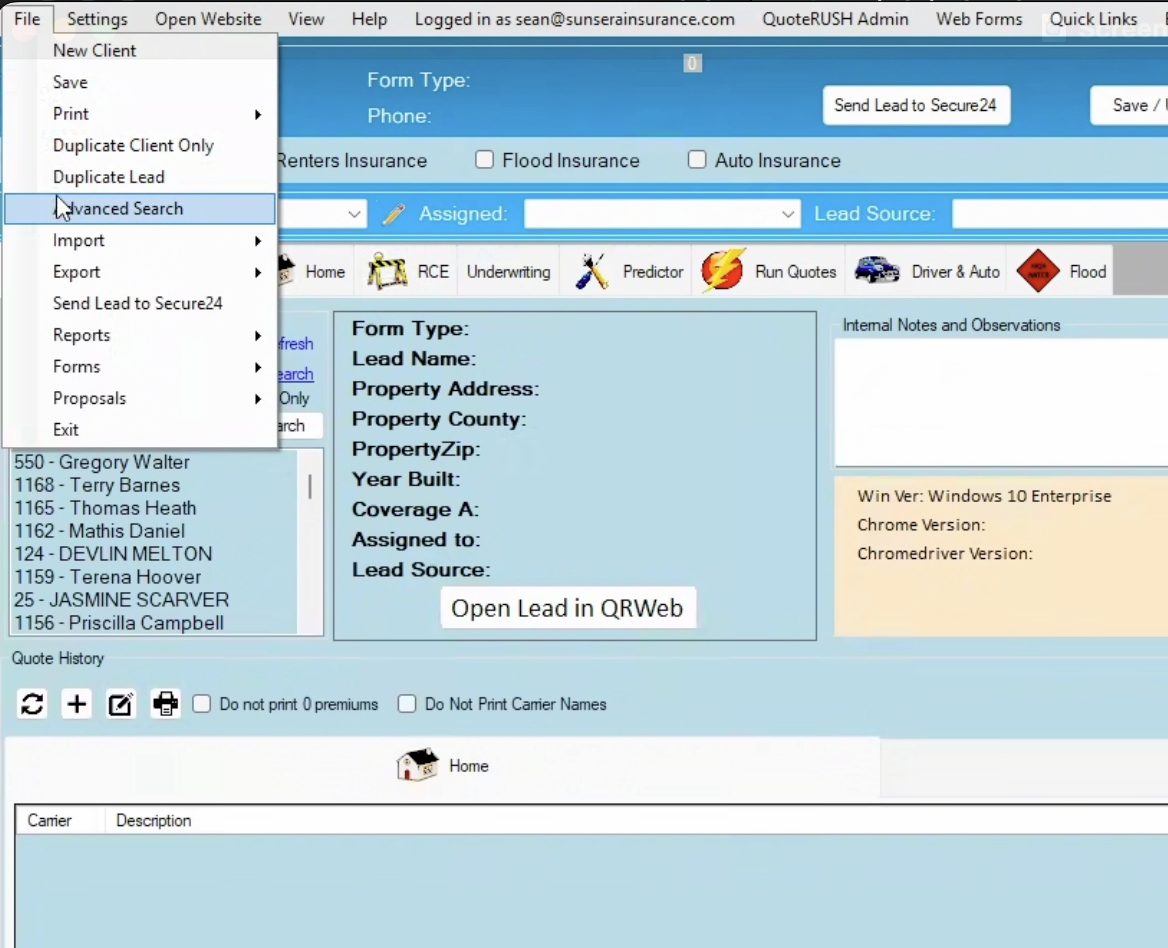
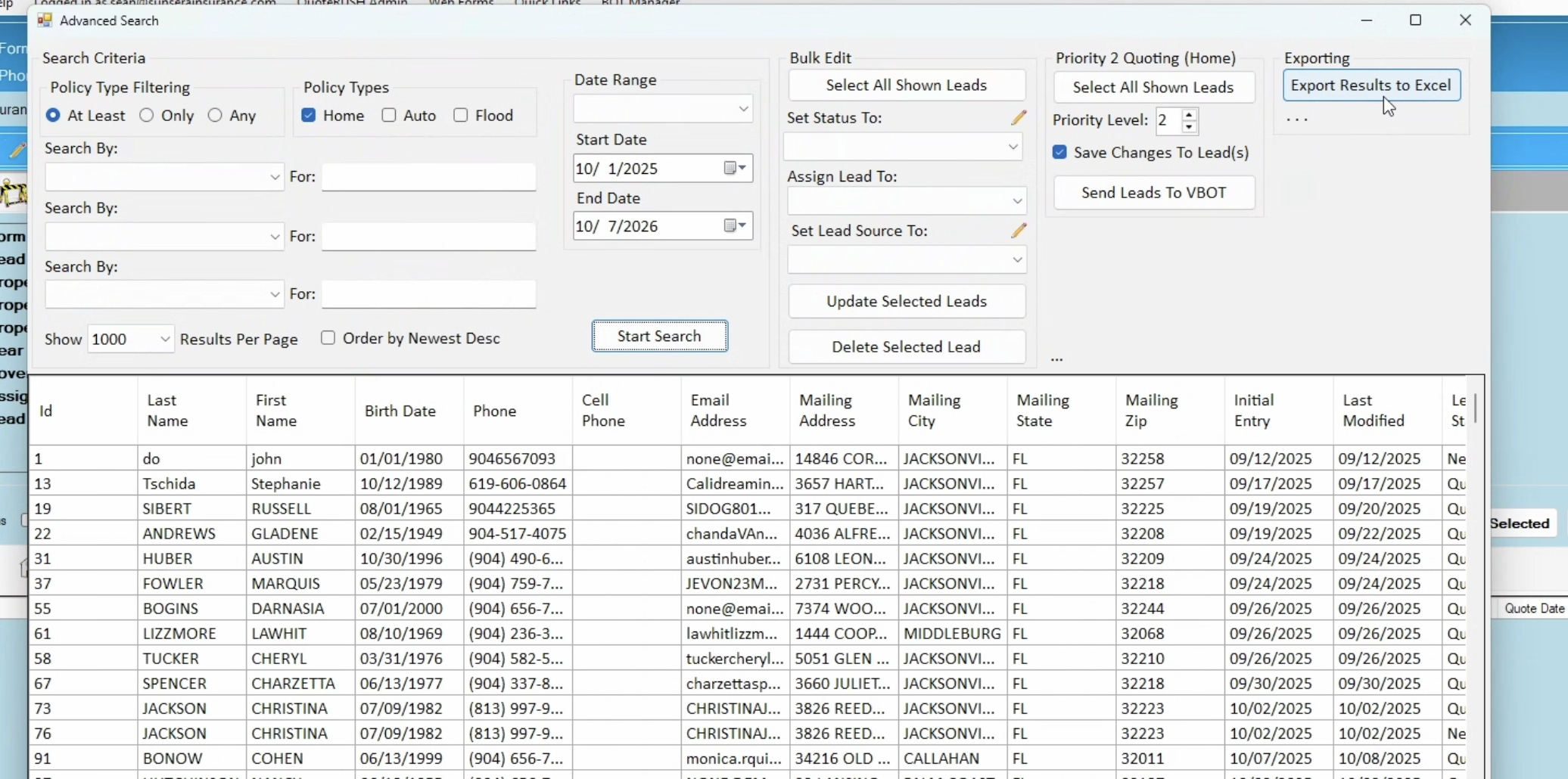
File -> Advanced Search
Select the screenshot to open its full-size image.
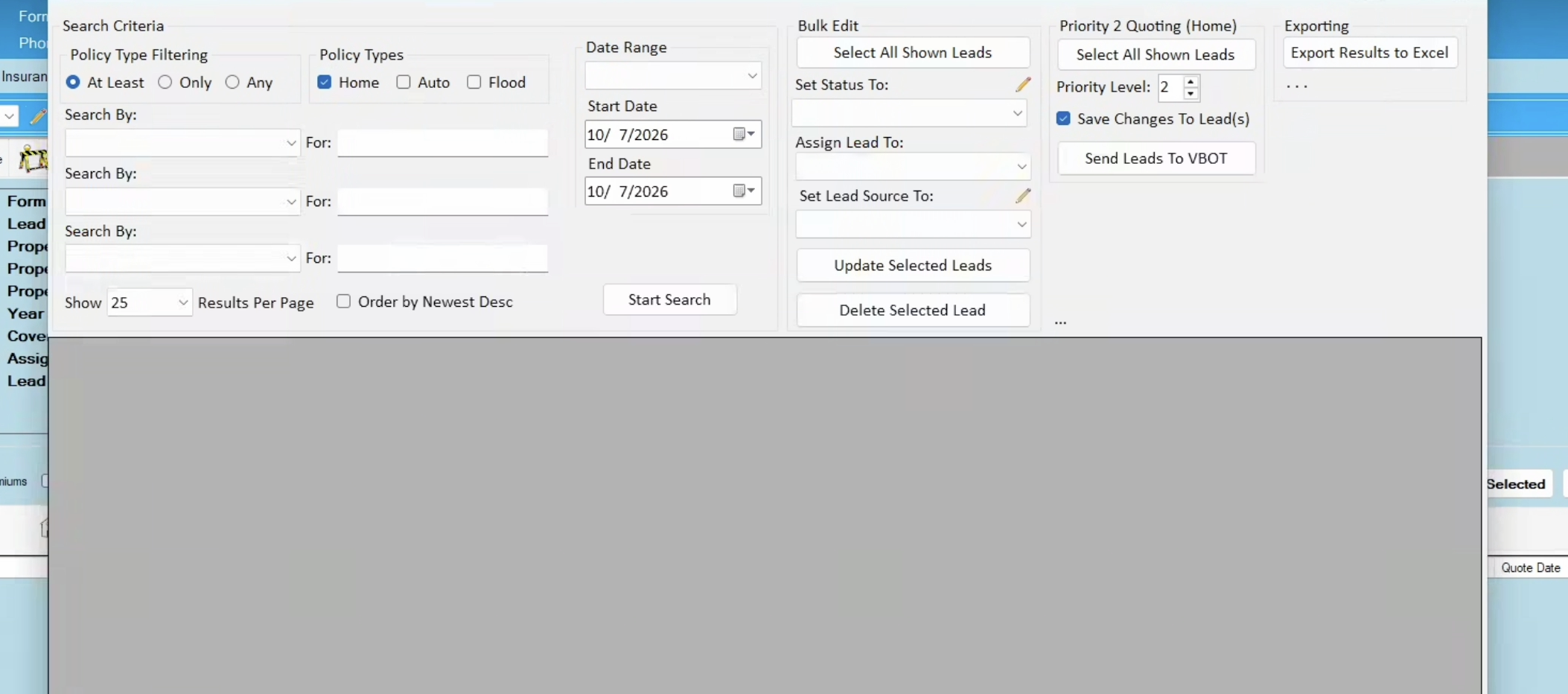
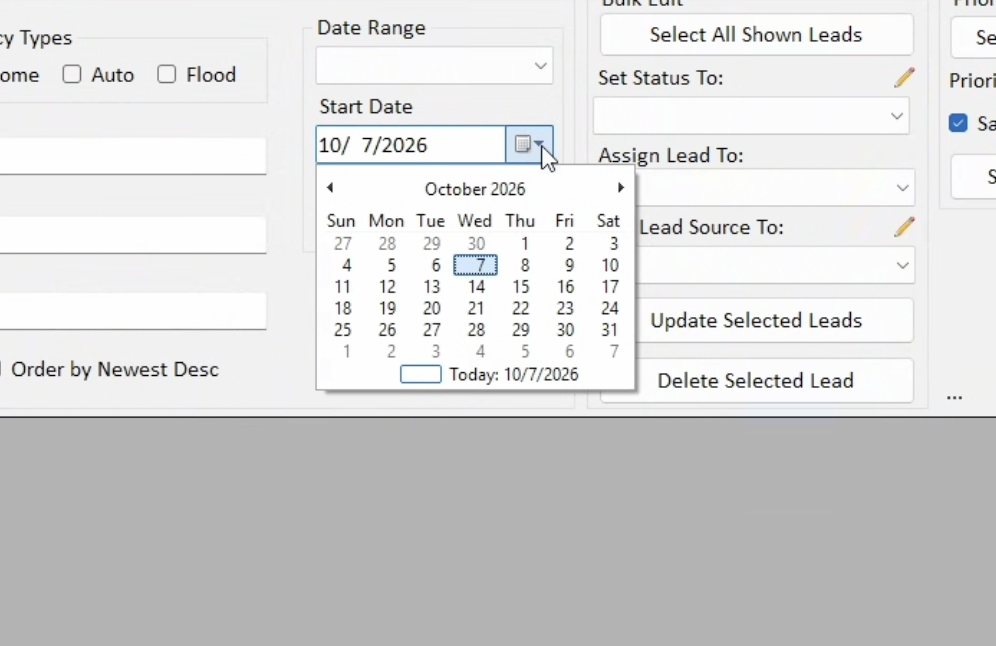
You can only download 1000 risks at a time; the best way is to use a Start Date and End Date.
Select the screenshot to open its full-size image.
Select the screenshot to open its full-size image.
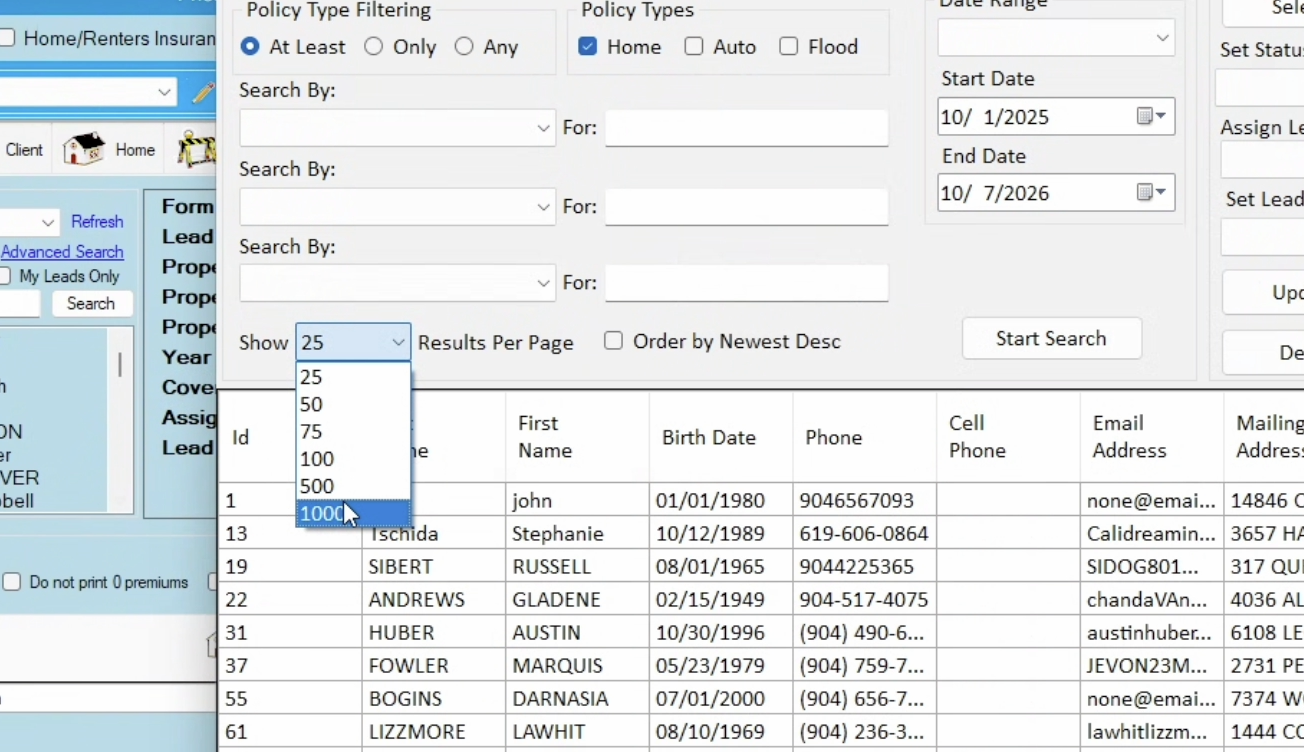
Make sure to select 1000
Select the screenshot to open its full-size image.
Then Export list
Select the screenshot to open its full-size image.
Open full screen in Scribe ↗
Was this helpful?